Gaming Headsets
Arctis Nova Pro Wireless: Base Station, Batteries and Setup
Set up the original Nova Pro Wireless, understand USB switching and Bluetooth, rotate batteries and position the retractable microphone.

Amelia Collins is an editorial pen name for gaming and streaming audio at Sound Mic Test. This byline covers headset features, microphone communication, platform compatibility and audio choices for play and live content.
Sound Mic Test editorial pen name.
amelia.collins@soundmictest.com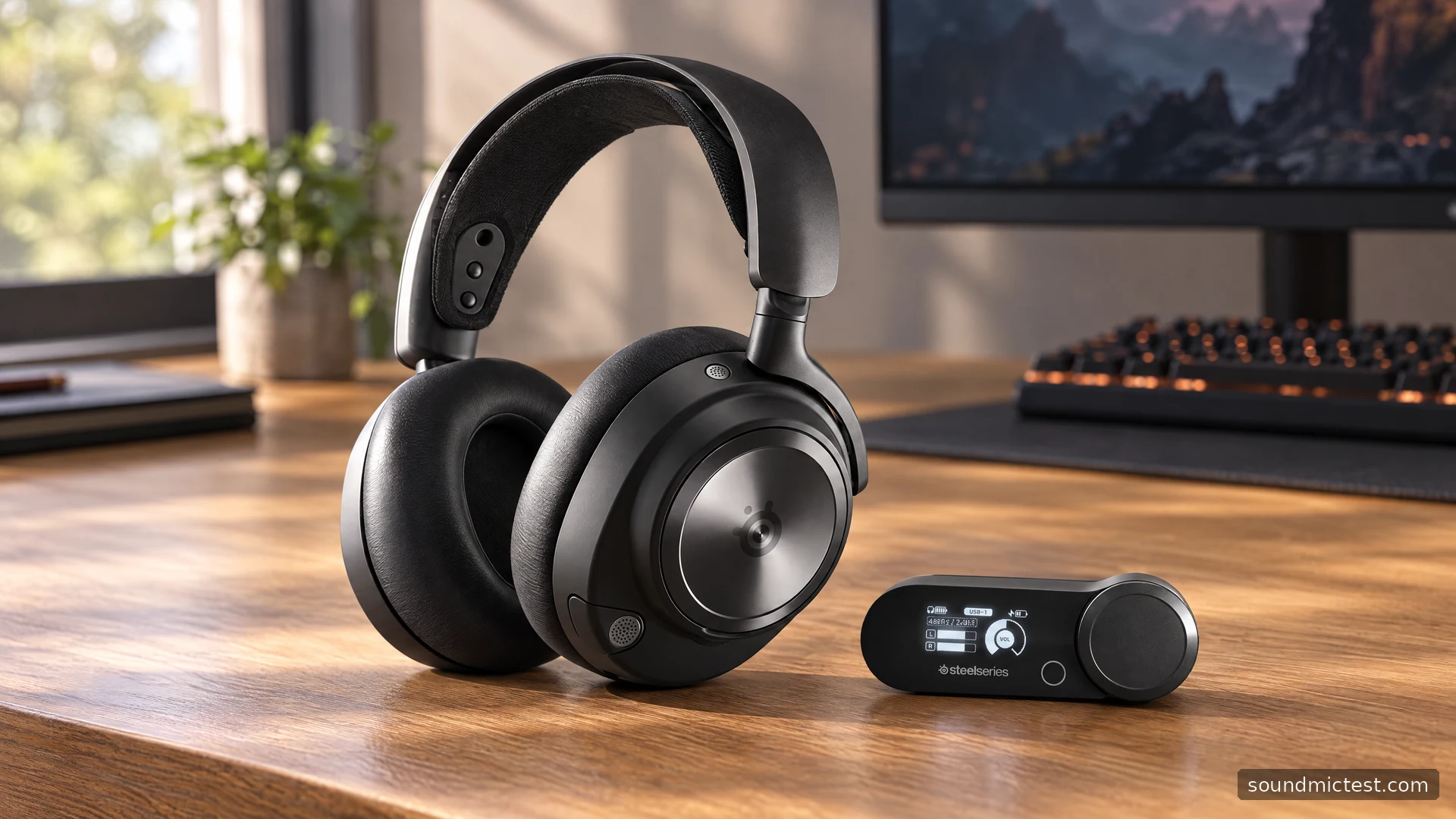
The SteelSeries Arctis Nova Pro Wireless is as much a desk audio system as a headset. Its base station, replaceable batteries and independent Bluetooth connection are the reasons to consider it. They can make a two-device setup more convenient, but they also demand more thought than plugging in a basic USB headset. The most useful first step is deciding which sources you need to hear and which ones you only need to switch between.
This guide covers the original Nova Pro Wireless PC/PlayStation configuration. Xbox editions have a different USB arrangement, and the wired Nova Pro and newer Omni products should not be treated as the same hardware. The assessment uses SteelSeries documentation rather than new laboratory measurements.
Two USB sources are for switching
SteelSeries' Multi-System Connect explanation describes two USB-C connections on the base station, with the active source selected through its menu. Xbox support requires the dedicated Xbox model.
That is a useful arrangement for a PC and a supported console: both can remain cabled to the base station while you select the one you need. It is not a promise that those two USB audio streams are continuously mixed. Treat USB source selection and simultaneous Bluetooth as separate features.
Label the two cables if the base station sits behind a monitor. It sounds mundane, but knowing which input belongs to which device makes source switching and troubleshooting easier. If the screen shows the wrong source, changing Windows microphone permissions will not fix missing console audio.
Make the first connection deliberately
Connect one system first and confirm basic playback and microphone capture before adding the second. Use the base station's screen to select the corresponding input. On the computer, choose the intended headset output and microphone, then check the voice application's device choices.
Keep EQ and virtual surround at their defaults while establishing this baseline. Use the stereo test to confirm left and right, then play ordinary dialogue. If that works, introduce the second USB source and verify switching independently.
The product information guide describes the base station's wheel as both a control and a menu selector. It also documents PC ChatMix as requiring software. A physical wheel alone does not make every console supply separate game and chat streams to the headset.
Why the spare battery matters
One battery can charge in the base station while the other powers the headset. The manual places the removable battery beneath the right speaker plate; a charging connection is beneath the left plate. This is the feature that changes the daily routine most clearly.
Instead of planning around a single internal battery, develop a rotation habit. Put the depleted pack into the charging slot when fitting the charged one. A spare left loose in a drawer does not provide the same convenience, and an empty charging slot can explain why the next swap fails to help.
Remove the magnetic plate and battery gently, following the orientation in the guide. Do not treat a battery swap as a reason to force contacts or substitute an unverified pack. When buying a used set, check that the base station, both correct batteries and necessary cables are present. Missing accessories can materially change the value of the package.
Bluetooth is independent of the gaming link
The wireless product page describes hearing Bluetooth mobile audio alongside game audio. The guide specifies separate Bluetooth power control and a four-second Bluetooth-button hold, starting with Bluetooth off, for pairing.
This is useful for a phone call or a separate media source, but it also means turning off one wireless path may not turn off the other. Check both states when putting the headset away or diagnosing why a phone remains connected.
Start with a low level on the secondary source and adjust it independently. Simultaneous playback is only helpful if the balance leaves game dialogue and conversation intelligible. Confirm where the microphone is being used during calls rather than assuming every connected application receives it at once.

ANC, transparency and the retractable microphone
The guide assigns a short power-button press to ANC and a double press to transparency. These are listening controls, separate from microphone noise processing. Active cancellation may be useful in a noisy room, but this article provides no measured attenuation curve or universal claim about which sounds disappear.
Fit and seal still matter. Adjust the earcup height and suspension band so the cushions surround your ears. Glasses and pad condition can change that seal. Evaluate the actual fit before compensating with a large bass boost.
Fully extend the retractable microphone for speech and aim its front surface toward the corner of your mouth. Use the microphone test to check capture. A short voice recording will help distinguish excessive gain, breath noise and software gating. Leaving the boom retracted is a poor starting point for judging its performance.
Is the extra system worth managing?
The Nova Pro Wireless is a strong fit when you will use its base-station switching, battery rotation and Bluetooth combination regularly. Those features solve concrete desk problems. If you only connect one PC and charge a headset occasionally, much of that system may be unnecessary for your routine.
Choose the correct platform edition, map the audio paths and establish a simple working configuration before exploring additional processing. Its appeal lies in convenient control over a more complicated setup, not in the assumption that a screen, premium branding or multiple wireless links automatically produce better sound.