Headphones
Sennheiser HD 350BT: Bluetooth Setup, Controls and Buying Checks
Understand HD 350BT pairing, physical controls and charging, with source compatibility checks and clear limits on wired audio and noise cancellation.
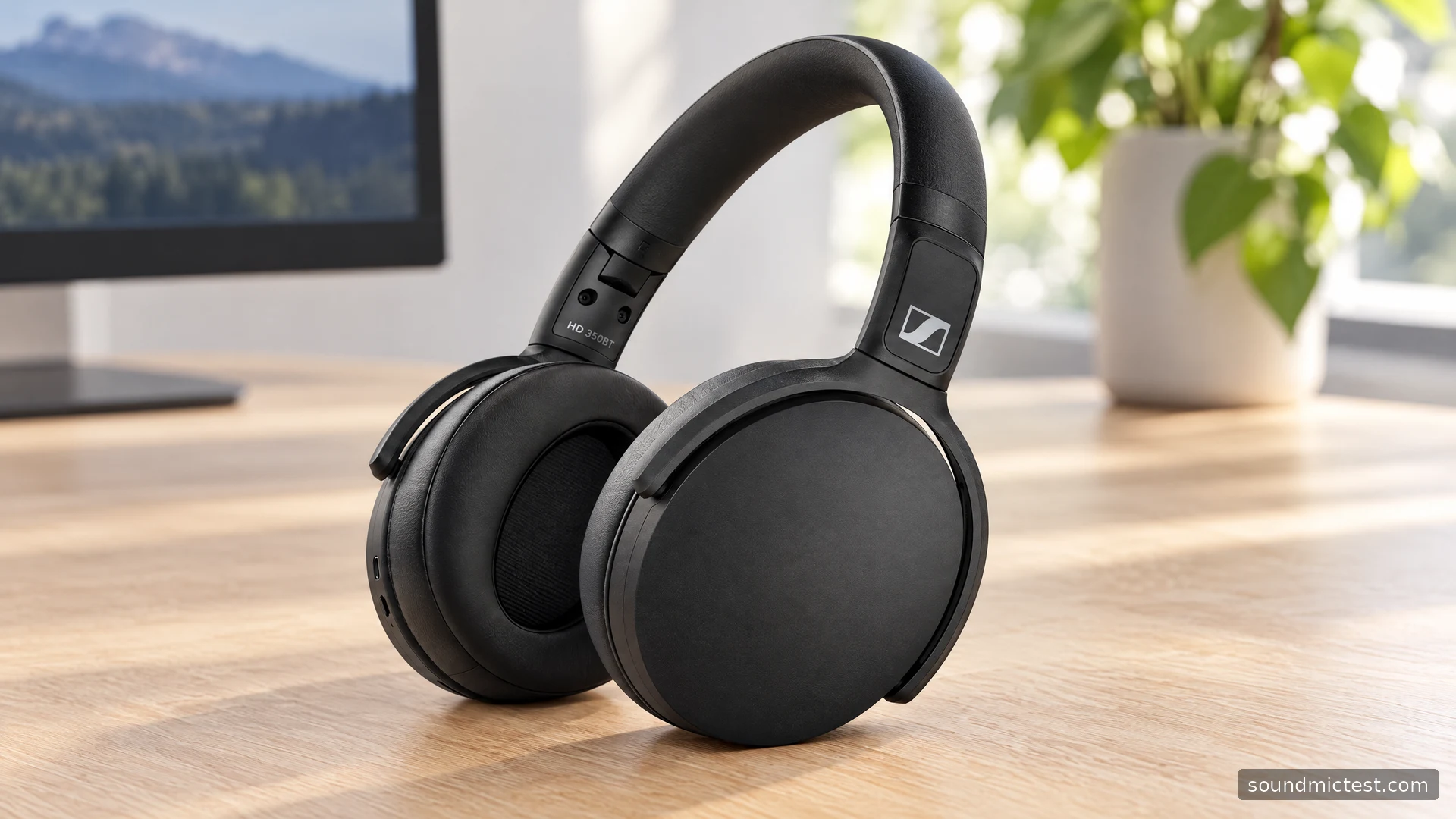
The Sennheiser HD 350BT is a Bluetooth headphone for listeners who want a relatively straightforward wireless routine. It shares a family resemblance with the HD 450BT, but the similarity should not blur the buying decision. The HD 350BT has no active noise cancellation or analog audio input, and its USB-C connector is for charging.
That makes source compatibility especially important. If your main device works well over Bluetooth and you do not need a cable fallback, the concept is simple. If you need a headphone socket connection for a television, audio interface or older player, start by choosing a model that actually provides it. This guide follows the HD 350BT documentation and focuses on those everyday decisions.
What its headline features mean in practice
The official product page lists Bluetooth 5.0, AAC and aptX Low Latency support, along with a 30-hour battery claim. Sennheiser also provides app-based sound adjustment. These are useful features to compare, but they need to be considered alongside the devices and rooms where the headphones will be used.
Low-latency codec support is not a guarantee that every Bluetooth source will deliver the same delay. The transmitter must support the relevant connection. Someone buying primarily for television dialogue or games should check their exact source rather than rely on the Bluetooth version number.
Without ANC, the fit and the room become particularly relevant. Try the headphones where you intend to listen, at a comfortable level. If you find yourself continually increasing volume to compete with the surroundings, reconsider the environment or the product choice instead of treating extra volume as the solution.
The battery figure is a manufacturer claim, not a measurement from this guide. For a used pair, ask about its condition and check real playback over time. A brief demonstration can reveal obvious connection problems, but it cannot establish long-term battery health.
Pairing the HD 350BT step by step
The HD 350BT instruction manual identifies this headphone as model SEBT3. With the headphones off, hold the power button for four seconds until the LED alternates red and blue, then select HD 350BT on the source. Two active Bluetooth connections are supported.
- Charge the headphones and bring them close to the intended source.
- Put them into pairing mode using the procedure above.
- Select the named headphone entry in the source's Bluetooth settings.
- Play a short spoken clip and verify the output before adding another device.
This order keeps the first connection easy to diagnose. Once it works, add the second device and practice switching playback between them. Pause audio on one before starting it on the other so that you can identify which source is responsible for what you hear.
If a familiar device does not reconnect, check whether another nearby device has already connected. Temporarily disabling Bluetooth on that other source is a useful isolation step. Avoid clearing everything immediately, since doing so removes a working reference point and creates extra setup work.
Learn the physical controls by touch
Sennheiser documents separate volume buttons, a three-way multifunction control for music and calls, a voice-assistant button and the power button. The right earcup carries the charging socket and controls. The companion app can adjust EQ, with those settings stored in the headphones for use with another Bluetooth source.
Take a minute to locate the controls before wearing the headphones. Then practice pausing and changing volume without looking. This matters more than it sounds: a control layout that seems obvious in a product photo can feel different when your hand approaches it from behind your ear.
Keep initial EQ adjustments modest. Use a familiar voice recording and a few tracks with different arrangements, matching playback loudness when comparing. A setting that makes one busy track more exciting might make spoken content less clear. Save the preference that works across your routine rather than only for a single demonstration.
USB charging is not a substitute for an audio cable
The manual labels the USB-C socket as a charging connection. There is no analog headphone input in the documented layout. Plan to use Bluetooth for audio rather than assuming that plugging the charging cable into a computer will create a wired headset.
| Need | What to check before buying |
|---|---|
| Music from a phone | Stable Bluetooth pairing and comfortable fit |
| Television listening | The television or transmitter's supported connection |
| A traditional headphone socket | Choose a headphone with an analog input |
| Listening when the battery is empty | A wireless-only design needs charging first |
This distinction can prevent an unnecessary troubleshooting session. A charging light indicates that power is reaching the headphones. It does not mean that the computer should list them as a USB audio device. If wired computer use is essential, make that requirement explicit when comparing products.
Check channels and microphone selection
After setup, open the stereo channel test and check channel orientation. Start at a low volume and raise it only enough to hear the test clearly. A missing channel should prompt a check of application and system balance settings before you assume a hardware failure.
For calls, use the microphone test with the intended input selected, then repeat a short check inside your meeting application. Browser access and application access are separate parts of the setup. A successful browser recording does not prove that a conferencing app has selected the same microphone.
The HD 350BT is a sensible model to examine if you want physical controls and Bluetooth listening without paying for features you do not need. Its limits are equally clear: no ANC and no analog fallback. Match those limits to your routine first, then assess comfort, connection stability and call behavior with the equipment you actually use.

About the author
James CarterHeadphones & Personal Audio
James Carter is an editorial pen name for Sound Mic Test's headphone coverage. Articles under this byline focus on comfort, isolation, connectivity and the everyday trade-offs between different headphone designs.
Sound Mic Test editorial pen name.
james.carter@soundmictest.com