Gaming Headsets
Logitech G535: Receiver, Flip-to-Mute Mic and Setup Guide
Connect the G535 USB receiver, fit its suspension headband, troubleshoot its flip-to-mute microphone and understand charging and battery life.

Amelia Collins is an editorial pen name for gaming and streaming audio at Sound Mic Test. This byline covers headset features, microphone communication, platform compatibility and audio choices for play and live content.
Sound Mic Test editorial pen name.
amelia.collins@soundmictest.com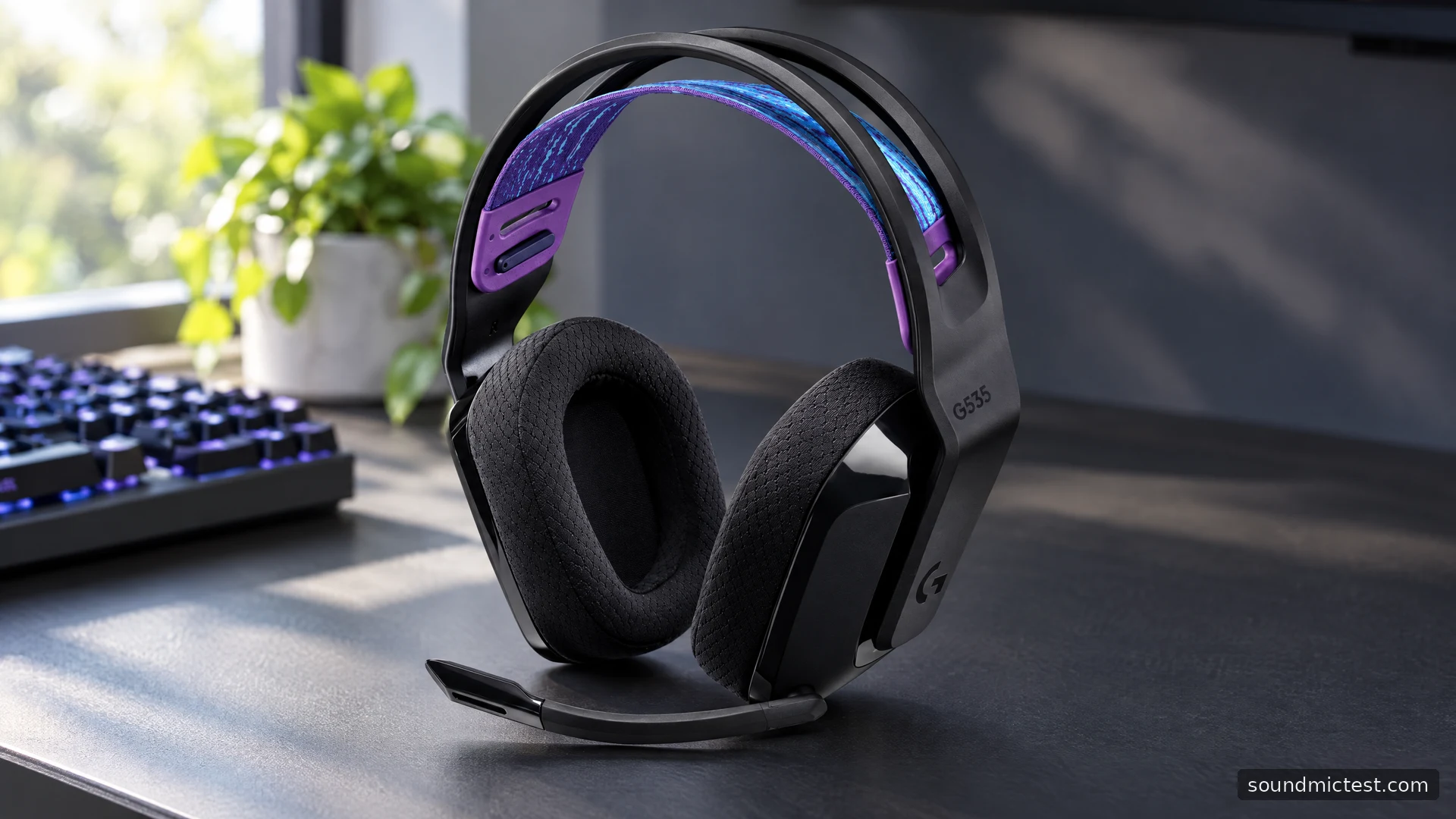
The Logitech G535 is a relatively simple wireless gaming headset: a USB receiver, a suspension band, an earcup volume roller and a microphone that mutes when raised. Its appeal is a clear daily routine rather than a long list of connection modes. That makes it a sensible model to consider for a supported PC or PlayStation setup, provided you do not expect the versatility of a Bluetooth travel headset.
This review and guide draws on Logitech's product page and setup instructions. It explains the documented design and useful checks rather than claiming a new battery rundown or a microphone comparison that was never performed.
A straightforward receiver-based design
Logitech's G535 page specifies a 236g weight, 40mm drivers and a USB receiver for PC and PlayStation. It advertises 33 hours of battery life at 50 percent headset volume, with variation depending on use and computing conditions.
The battery footnote matters when comparing headsets. A maximum measured under one setting is not directly comparable with another product running lighting, a second radio or different volume. For this model, treat the figure as a planning reference and build a charging habit around your own sessions.
The receiver also deserves a permanent place in the setup. If you move between machines, keep it with the headset. A USB charging cable is not a substitute for the audio receiver, and a dongle from another Logitech accessory should not be assumed compatible just because the branding matches.
Set up the G535 in a sensible order
The official quick-start guide shows receiver connection, a short power press and optional G HUB installation for additional features. Start with that basic path before changing presets.
- Connect the supplied receiver to the intended supported device.
- Power on the headset and choose it as the playback output.
- Choose its microphone as the input where device selection is available.
- Lower the boom into speaking position.
- Set a modest level and check playback and capture separately.
On a computer, applications can keep old device selections. A game may follow the system default while a chat app still uses a webcam microphone. Open each relevant setting rather than treating the operating system's output selection as a complete setup.
If reception is unreliable, try a suitable port with a clearer path to the headset. Changing receiver position is a more useful first experiment than applying unrelated EQ settings. Test from your normal chair before judging behaviour while walking through several walls.
Flip-to-mute is the control to learn first
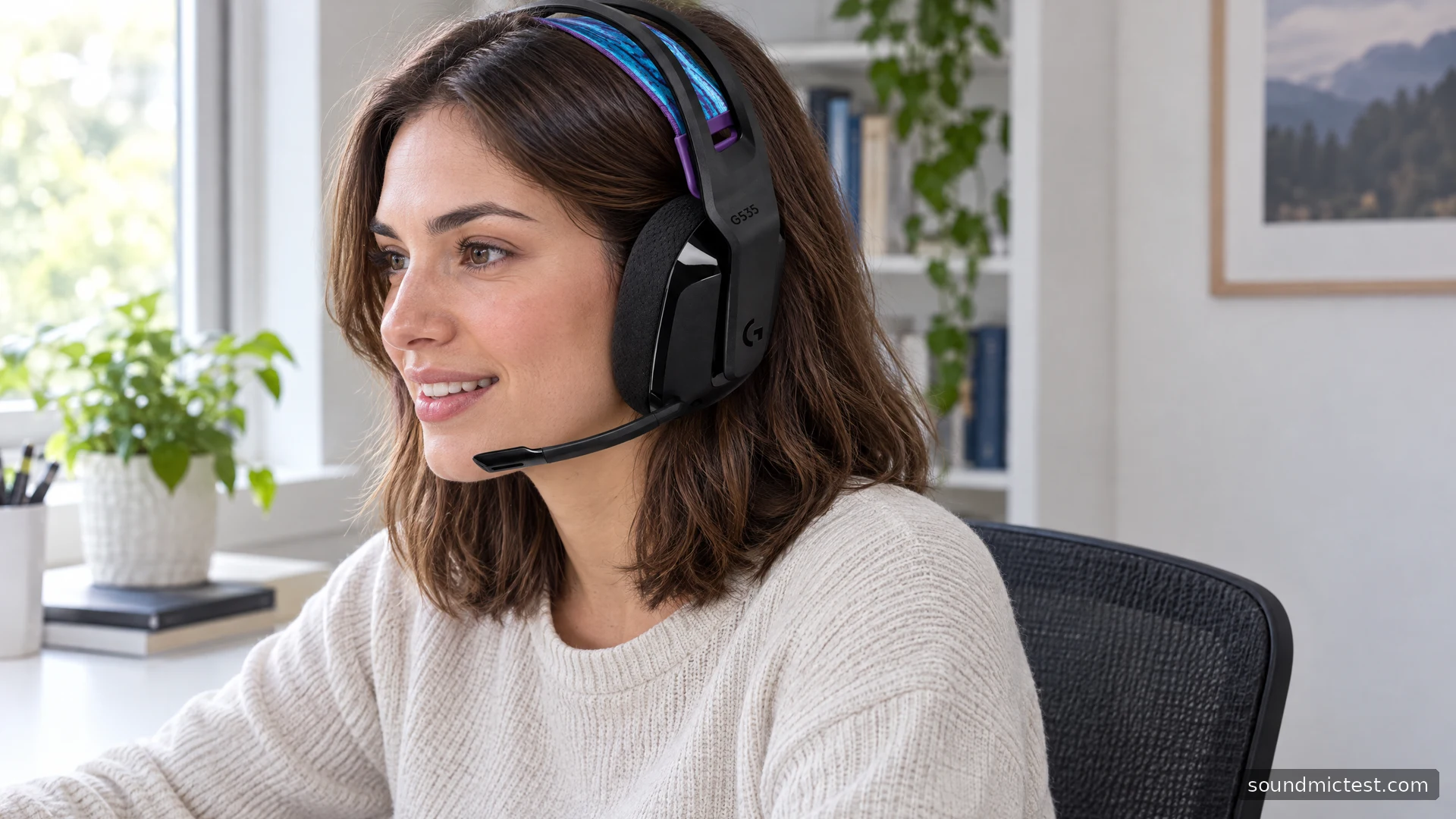
The G535 guide specifies that raising the boom mutes the microphone. This physical action is convenient when you need to talk to someone in the room, but it can also explain silent voice chat after putting the headset back on.
Lower the boom before testing capture, then check the call application's own mute state. Hardware mute and software mute are separate. Moving the boom cannot necessarily clear a mute button inside a conferencing or gaming application.
Use the microphone test to verify the selected input. Raise and lower the boom once while watching whether speech is received, so the behaviour is familiar. Do this in a private test rather than discovering it halfway through a conversation.
Do not pull the boom out as though it were a detachable microphone. Its intended adjustment is the hinge movement described by Logitech. Gentle handling is a better long-term habit than forcing it into a position beyond its normal travel.
Set the suspension band and earcup height together
The guide shows two adjustments: moving the earcups and changing the suspension band's length. Use them together so the cups sit around the ears while the band supports the headset. Overtightening one part can move the other away from the position you need.
Try the fit with your normal glasses and posture. The specified weight is useful context, but comfort depends on your head and the pressure distribution. A lightweight headset can still create a pressure point if the cups sit too high or the strap is adjusted unevenly.
Check the condition of the pads over time. A flattened cushion can affect the seal and make the balance seem different. Before compensating with a large EQ change, inspect fit and wear. Replacement parts should match the exact model, not simply look close in a marketplace photograph.
Make one recording before changing filters
With the boom down, use the voice recorder to capture a short sentence at normal speaking level. Include a pause and a little keyboard activity if that represents your use. Listen to the file before deciding whether processing is needed.
If loud words distort, lower capture gain. If words disappear at their beginnings, inspect the voice application's activation threshold or suppression. If the wrong microphone is selected, fix that first. These are different faults and should not all be treated by raising the input slider.
For playback, the stereo test can confirm left and right before you compare game settings. It is a routing check, not a laboratory measurement of driver performance. Driver diameter and a gaming label do not establish how accurately a particular person will interpret every game cue.
A good fit for a simple gaming routine
The G535 is worth considering when you want a supported receiver-based setup, an obvious physical mute action and a suspension fit without making lighting the centre of the purchase. Its strengths are easy to understand once the microphone and output routes are correct.
Look for a different connection design if phone Bluetooth, an analog fallback or multiple simultaneous sources are essential. For the G535's intended routine, verify the receiver, fit and boom behaviour first. Those practical details determine whether it is convenient to live with far more than an unqualified battery number or a preset named for competitive gaming.