Headphones
JBL Tune 770NC: ANC, Ambient Modes and a Better Setup Routine
Understand Tune 770NC pairing, ANC, Ambient Aware and TalkThru, with battery-claim context, app setup and useful wired and microphone checks.
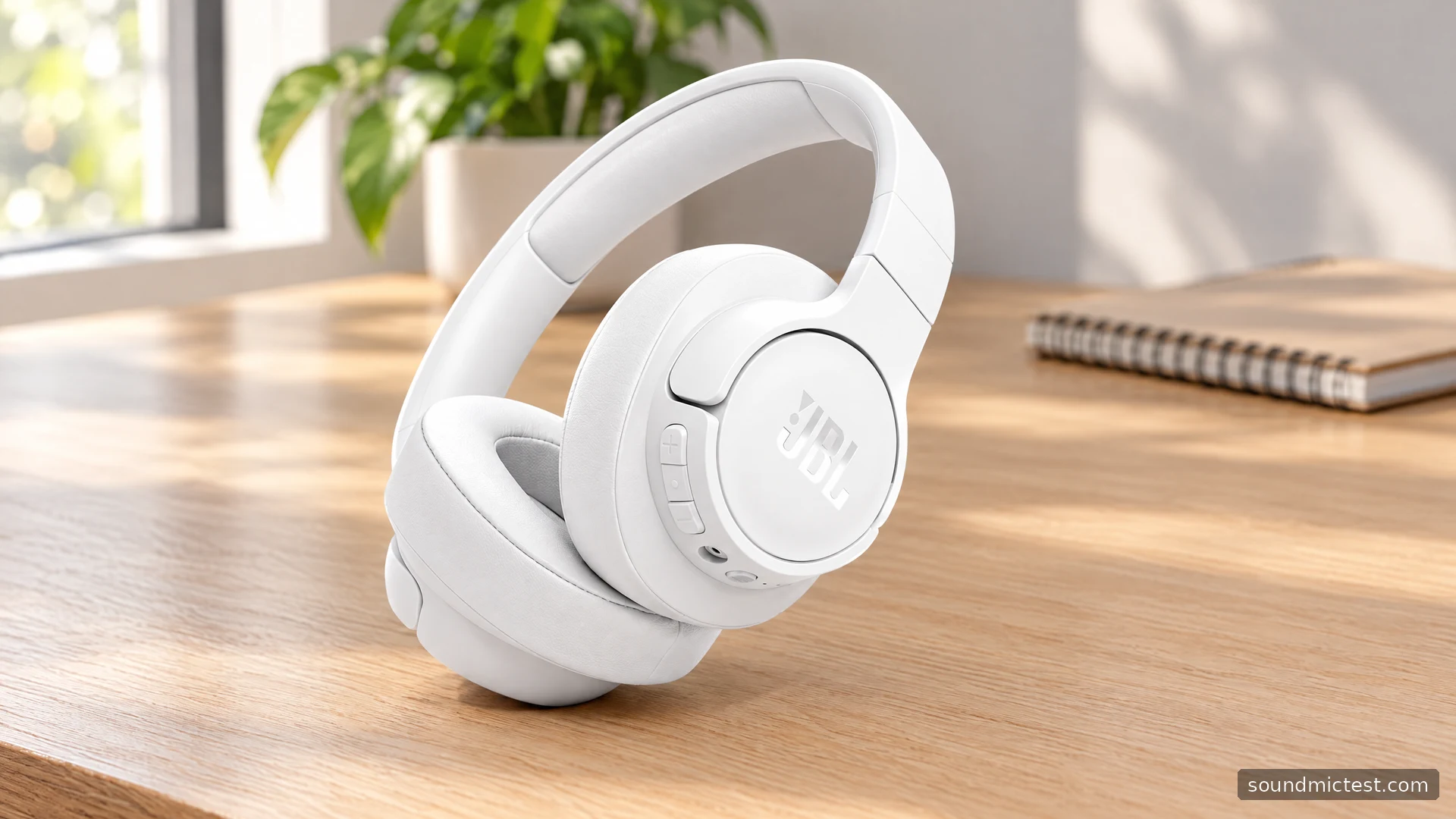
The JBL Tune 770NC is an over-ear headphone for people who want more control over their surroundings than a basic Bluetooth pair provides. ANC, Ambient Aware and TalkThru serve different purposes, while the app offers sound adjustment and the included audio cable gives you another connection option.
Understanding those differences is the useful part of the specification list. A mode intended for conversation is not doing the same job as noise cancellation, and the largest battery number does not describe every setting. This guide follows JBL's product information and quick-start instructions to explain how the Tune 770NC fits into work, study and travel routines.
Read the battery claim with ANC in mind
JBL's official specifications list 40 mm drivers, Bluetooth 5.3, a 232 g weight and two-device connectivity. The manufacturer quotes up to 70 hours of music with ANC off and up to 44 hours with it on. Charging from empty is approximately two hours, with a five-minute charge advertised for up to three hours of playback.
Those are separate operating conditions. If you intend to leave noise cancellation enabled throughout a journey, the 44-hour claim is the relevant planning reference. Neither figure is an independent result from this guide, and an older battery or a different mix of calls and volume can change actual endurance.
The over-ear description also needs a personal check. Make sure your ears sit comfortably within the cushions and that glasses do not create an awkward pressure point. Wear the headphones in your ordinary seated posture, since headband position can change when you lean toward a screen.
Pair one device, then add the second
The Tune 770NC quick-start guide identifies the Bluetooth entry as JBL TUNE770NC. For later pairing, switch off and hold the power button for five seconds. A double press of the power button starts the additional-device pairing workflow, with a maximum of two connected devices.
Get your primary source working before adding the second. Play a spoken clip and check that pause, volume and output selection behave as expected. If that source is a computer, inspect both the operating system and the application you intend to use.
When switching sources, pause the first before starting the second. This keeps the handover understandable and makes it easier to identify a browser tab or phone notification that has interrupted playback. If there is no sound, check the active source before clearing all your pairings.

ANC, Ambient Aware and TalkThru
JBL describes ANC as the noise-reduction option, Ambient Aware as a way to hear surroundings and TalkThru as a conversation aid. The guide shows a single press of the ambient-control button for the ANC/Ambient Aware toggle and a double press for TalkThru, with advanced controls available through the app.
The most useful setup is the one that fits your actual room. At a desk, compare ANC with playback paused, then at the same listening volume. For conversation, try the ambient options with someone speaking at a normal distance. If following them still takes effort, pause and remove the headphones.
| Mode | A useful everyday question |
|---|---|
| ANC | Does the room become less distracting at the same volume? |
| Ambient Aware | Can I follow what is happening around me? |
| TalkThru | Is a brief conversation easy to understand? |
| VoiceAware during calls | Can I judge my own speaking level naturally? |
VoiceAware concerns how you hear yourself while talking. It does not prove that the remote participant receives a clean microphone signal. Keep that distinction clear when adjusting call settings, since a comfortable local experience and a good transmitted recording are related but separate checks.
Use the app for deliberate adjustments
The JBL Headphones app offers EQ and additional controls. Begin with the default configuration, note it and then change one setting at a time. Use a familiar voice recording and a few music tracks so that you have a stable reference rather than continually introducing new material.
For EQ, ask what problem you are trying to solve. If a vocal is difficult to follow, a small adjustment may be more useful than a dramatic preset. Match loudness when comparing, because a louder setting can create an immediate impression of improvement without improving the balance.
JBL's product page includes a firmware qualification around LE Audio. Check the installed firmware, source compatibility and available app options instead of assuming that every feature mentioned in an older launch description is already active on your pair.
Wired listening and call checks
The guide includes wired listening through the supplied audio cable. Keep that cable with the headphones if a traditional headphone output is part of your travel or desk routine. Start with the source volume reduced, seat both plugs fully and control playback from the source as needed.
After connecting, run the stereo channel test to confirm the output channels. If one side is silent, inspect the connection and any adapter before changing balance settings. A partial connection should not be concealed with software compensation.
For wireless calls, choose the intended microphone and make a short recording with the microphone test. Then repeat inside your conferencing application. Check in a quiet room before adding everyday background activity, keeping your voice and position consistent.
The Tune 770NC is worth considering if adjustable noise behavior and app control address real needs in your routine. Its feature set gives you several ways to adapt it, but the decision should still turn on fit, predictable source switching and the call setup you can verify. Read the ANC-on battery figure, practice the ambient button and evaluate those daily interactions before treating the longest specification as the verdict.

About the author
James CarterHeadphones & Personal Audio
James Carter is an editorial pen name for Sound Mic Test's headphone coverage. Articles under this byline focus on comfort, isolation, connectivity and the everyday trade-offs between different headphone designs.
Sound Mic Test editorial pen name.
james.carter@soundmictest.com