Headphones
Beyerdynamic DT 770 Pro: Impedance, Connections and Setup
Choose an original DT 770 Pro impedance version for your source, connect it correctly and understand monitoring, cable and pad-care considerations.

James Carter is an editorial pen name for Sound Mic Test's headphone coverage. Articles under this byline focus on comfort, isolation, connectivity and the everyday trade-offs between different headphone designs.
Sound Mic Test editorial pen name.
james.carter@soundmictest.com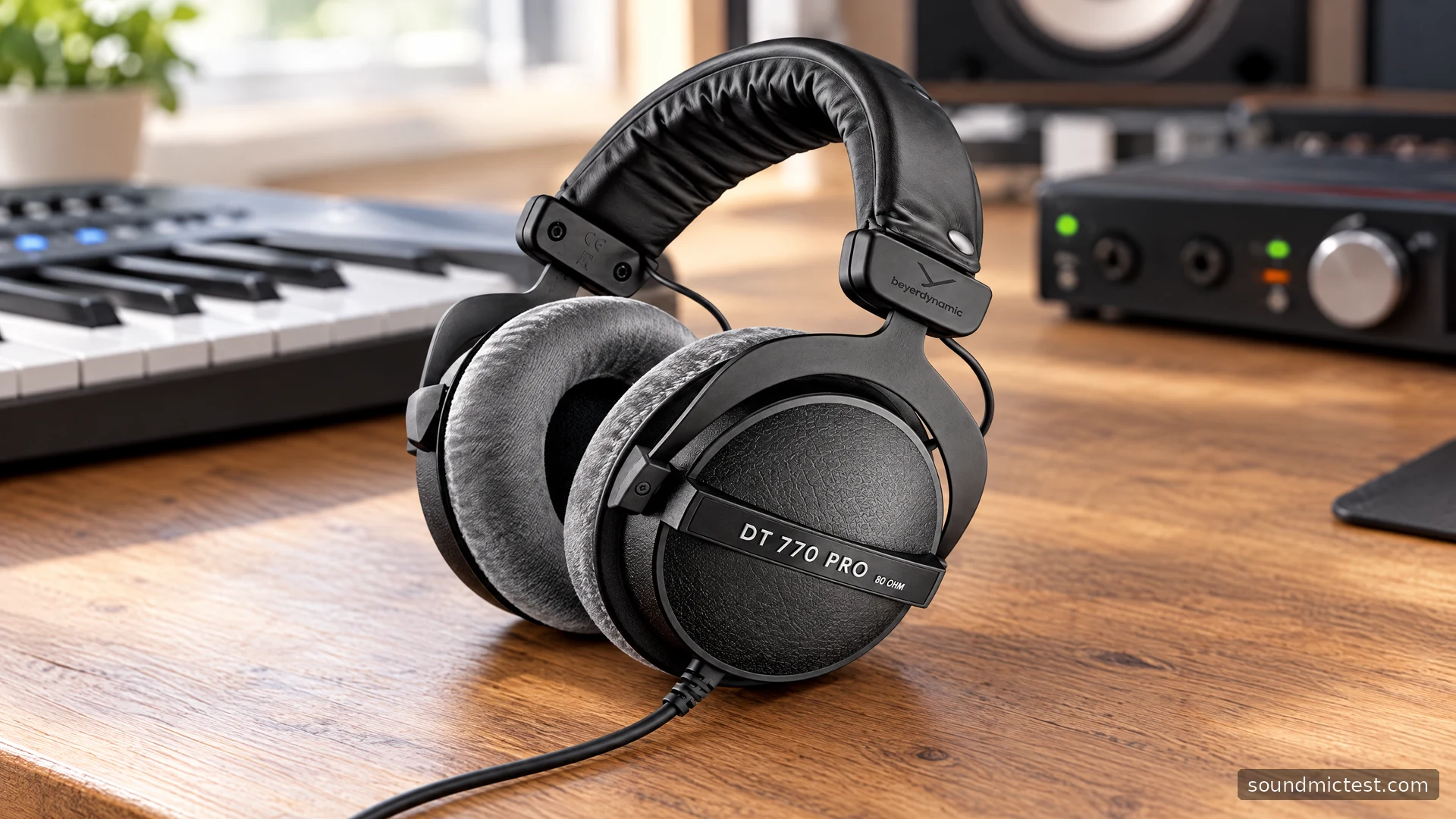
The Beyerdynamic DT 770 Pro is a closed-back wired studio headphone whose model name does not tell the whole story. The original range includes different impedance versions, and that choice should be made around the source equipment. A listing that says only “DT 770 Pro” leaves out information worth checking before you pay.
This guide covers the original DT 770 Pro family, using the 80-ohm model as the main desk-work example. It does not cover the DT 770 Pro X. The focus is the documented construction, connection choices and maintenance, with practical guidance for setting up an interface, computer or instrument rather than an invented listening score.
Choose the version before comparing prices
Beyerdynamic's source-matching guidance distinguishes 32-, 80- and 250-ohm versions. It associates the 32-ohm model with a broad range of portable and desktop sources, the 250-ohm model with suitable stationary amplification, and the 80-ohm model with studio use. Treat that as a starting point for checking the exact output you own.
Impedance is not a quality ranking. A larger number does not mean you should automatically buy that version, and a studio interface label does not guarantee that every headphone output behaves identically. Read the source's specifications and, where possible, try the intended combination.
The 80-ohm product page describes a closed over-ear design, replaceable cushions, an adjustable padded headband and a straight cable terminating in a 3.5 mm plug with a quarter-inch adapter. These physical details are useful for deciding whether the headphone suits a fixed workstation.
| Original version | Cable in the supplied family manual |
|---|---|
| 32 ohms | 1.6 m straight cable |
| 80 ohms | 3 m straight cable |
| 250 ohms | 3 m coiled cable |
Confirm the exact listing and package, especially with older or used stock. Keep the version, condition and included accessories together when comparing offers. A cheaper price is less informative if the pair has the wrong impedance for your source or needs new cushions immediately.
Connect it to a headphone socket
The DT 770 Pro manual specifies a single-sided cable and a 3.5 mm stereo plug with a screw-on 6.35 mm adapter. It instructs owners to use a headphone socket and begin with the source level minimized. This is a passive analog headphone, so the source handles playback and level control.
On an interface, identify the headphone output and the control that adjusts it. Do not assume a nearby line output is interchangeable because the adapter fits. If the routing is unclear, resolve it in the interface manual before testing at normal volume.
With the 80-ohm model at a desk, route the long cable where it cannot collect beneath the chair. Leave enough slack to turn your head or stand briefly without putting tension on the earcup. Because the original design uses a fixed cable, avoid treating it as a detachable connection.
Use the stereo channel test to confirm channels after connecting. If one side is silent, inspect plug seating, the adapter and software balance in that order. A connection fault should be resolved before making judgments about tonal balance or driver performance.

Understand what the closed design is for
A closed headphone can be useful in a recording or shared workspace, but it is not the same thing as active noise cancellation. Assess whether the physical isolation is sufficient for your room and whether the fit remains consistent as you move.
For a recording session, check the complete monitoring arrangement. The standard DT 770 Pro has no built-in communications microphone, so select a separate microphone as the input. The microphone test can help verify that input while you monitor through the headphones.
If the recorded voice sounds delayed in your ears, inspect direct monitoring and software monitoring in the source equipment. Change one route at a time. Hearing two paths together can make a correctly functioning headphone seem to be producing an echo.
For editing or mixing, learn the headphone with familiar reference recordings and check finished work on another known system. The product's studio role does not remove the need for that process. Do not turn a frequency-range specification into a claim that every audible band is equally accurate.
Replaceable pads are a practical ownership feature
The manual explains user replacement of the ear cushions and buttoned headband pad. For the cushions, the replacement lip seats into the earcup groove; the headband pad wraps around the band and connecting cable. Other component work is directed to service support. Use parts intended for the exact model.
Before assessing a used pair, inspect cushion condition and whether both sides sit evenly. Worn or mismatched pads complicate a comfort comparison and can change the fit. A maintenance budget is part of the purchase price, especially for equipment that has spent years in a busy studio.
Beyerdynamic's cleaning guidance allows careful cleaning of removable pads and requires them to dry fully before refitting. Follow the material-specific instructions and keep liquid out of the earcups. Routine care is easier than trying to rescue neglected pads after they have become uncomfortable.
Who the original DT 770 Pro suits
The original model is worth considering for a fixed listening or monitoring station where a wired connection, substantial cable reach and replaceable wear parts are useful. It is less aligned with someone who mainly wants app control, wireless movement or an integrated call microphone.
Choose the impedance version around the output, verify the connection and spend time checking fit during the work you actually do. Those decisions determine whether the DT 770 Pro becomes a dependable part of the setup. Its reputation and studio styling are context; the source match and daily workflow are what you can confirm for yourself.