Headphones
Audio-Technica ATH-M40x: Wired Setup and Monitoring Features
Understand ATH-M40x cable choices, analog connections and monitoring setup, with practical source, comfort and recording checks.
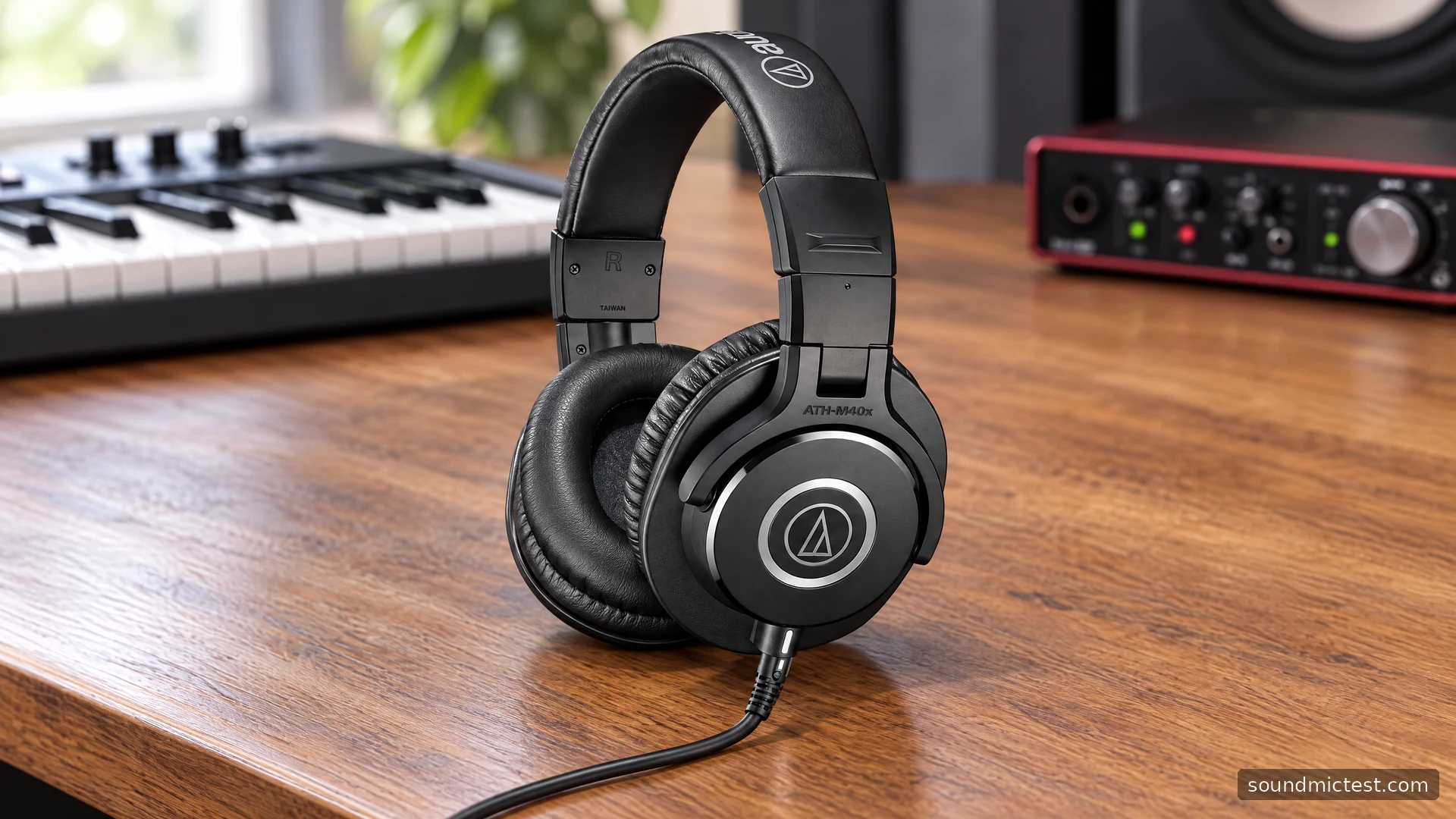
The Audio-Technica ATH-M40x is a wired closed-back headphone for a desk, instrument or recording setup where a direct analog connection makes sense. Its feature list is short compared with a wireless model: detachable cables, folding construction and swiveling earcups. That simplicity can be useful when you want the source equipment to handle audio rather than depend on another battery or app.
It is also worth understanding exactly what you are buying. The M40x is a headphone, not a complete communications headset or a USB audio interface. This guide follows Audio-Technica's product information and shared M-Series instructions, focusing on cable selection, connection checks and a practical monitoring routine.
The core features in context
Audio-Technica's M40x product page specifies 40 mm drivers, 35-ohm impedance and a 240 g weight without cable and connector. It lists 90-degree swiveling earcups, a collapsible design, a coiled detachable cable and a three-metre straight detachable cable. The company describes the tuning as flat for monitoring.
That tuning description is the manufacturer's characterization, not a response measurement made for this guide. It should not be converted into a numerical accuracy score. A useful listening assessment needs a known source, consistent levels and familiar recordings, while a technical response comparison needs an appropriate measurement method.
The detachable cable is a practical ownership feature. It lets you choose a cable arrangement and replace a compatible cable separately, but the headphone connector still needs the right fit. Do not assume that any small audio plug will work just because its diameter appears similar.
If you are comparing the M40x with another model, start with the work area. Cable reach, storage, fit and the output equipment are concrete requirements. A larger driver or a more expensive position in a product family does not automatically settle which headphone is more useful for your routine.
Set up the physical connection first
The M-Series manual shows the M40x's supplied cable options and quarter-inch adapter, along with connections to portable players and headphone amplification equipment. It instructs users to minimize source volume before connection and to hold the plug when removing a cable.
- Choose a cable with enough reach for your ordinary movement.
- Connect the compatible headphone end securely.
- Use the appropriate adapter if the source has a larger headphone socket.
- Select that output on the source and begin playback at a low level.
Keep spare cable away from the chair wheels and the edge of the desk. A long straight cable is useful when the source is distant, but it becomes awkward if the extra length is left where it can snag. A coiled cable also needs enough free space to move without pulling against the earcup.
For a phone or laptop without an analog headphone output, add an appropriate audio adapter or interface. Then verify that the operating system and the application are using that device. The M40x cannot fix an incorrect digital output selection upstream.
Do you need extra amplification?
The impedance specification alone is not enough to answer every source question. The practical test is whether your intended output provides a comfortable listening level with clean playback and reasonable adjustment range. Start with the equipment you already plan to use, rather than assuming a separate amplifier is compulsory.
Use a familiar recording and avoid testing only with an unusually loud track. If the setup is unexpectedly quiet, inspect application volume, system volume and any gain or attenuation setting before buying additional hardware. A configuration error can look like insufficient output power.
If you are using an audio interface, read its headphone-output guidance. Headphone outputs, line outputs and microphone inputs have different purposes even where connector shapes look similar. Make the signal path explicit before adding adapters.

A useful routine for recording and editing
Run the stereo channel test to confirm left and right playback. If a channel is missing or intermittent, inspect the plugs, adapter and balance controls. Correct the cause before using EQ or software gain to disguise it.
For a spoken recording, select a separate microphone as the input and the device feeding the M40x as the output. Use the microphone test to confirm that the intended microphone is active. The standard headphone does not add a microphone merely because it is connected to a computer's combined audio socket.
| Task | A useful check |
|---|---|
| Voice recording | Correct microphone and monitoring output selected |
| Instrument practice | Cable route clear of hands and moving parts |
| Editing | Familiar reference material at a consistent level |
| Troubleshooting one silent side | Plugs, adapter and balance checked in order |
If you hear a delay while recording, investigate the monitoring path in the interface or software. Compare one route at a time and avoid accidentally listening through direct and software monitoring together. The headphone is the endpoint of that path, so the cause may be elsewhere.
Comfort and care are part of the value
The shared manual recommends dry-cloth cleaning, avoiding solvents and storing the headphones away from heat and moisture. It notes that pads and headband materials deteriorate over time. Those details matter when comparing a new pair with a used one that may need replacement parts.
Wear the headphones through a normal editing or practice session, with your usual glasses if applicable. Check pressure around the ears and whether the cable tugs when you move. Do not equate a comfortable first minute with a comfortable afternoon.
The M40x is a sensible candidate for someone who wants a direct wired monitoring setup with removable cables and folding storage. Its usefulness comes from how well that setup fits the work. Verify connection, comfort and your listening references, and keep the manufacturer's tuning description separate from any measurement you have not actually made.

About the author
James CarterHeadphones & Personal Audio
James Carter is an editorial pen name for Sound Mic Test's headphone coverage. Articles under this byline focus on comfort, isolation, connectivity and the everyday trade-offs between different headphone designs.
Sound Mic Test editorial pen name.
james.carter@soundmictest.com